- CSS
- HTML
- JS
- CSS (Cascading Style Sheets) is what makes web pages look good and presentable. It’s an essential part of modern web development and a must-have skill for any web designer and developer.
In this article, I’ll give you a quick introduction to help you get started with CSS.
We’ve also launched a free full-length CSS course on Scrimba. Click here to check it out.
I’m assuming that you have a basic understanding of HTML, but other than that there are no prerequisites for this tutorial.
Getting Started
Let’s start with learning how we can include CSS in our projects. There are typically three ways we do that.
1. Inline CSS
First off, we can include CSS directly in our HTML elements. For this, we make use of the
styleattribute and then we provide properties to it.<h1 style="color: blue"> Hello world! </h1>Here we’re giving it the property of
color, and setting the value toblue, which results in the following: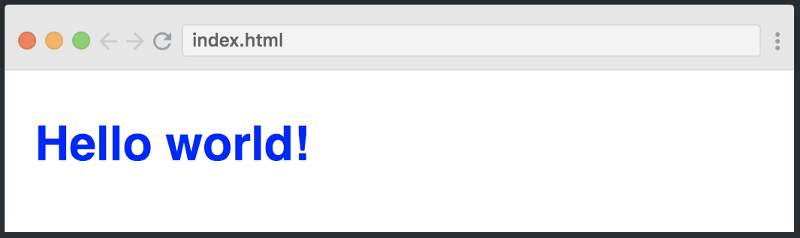
We can also set multiple properties inside the
styletag if we wanted. However, I don’t want to continue down this path, as things start to get messy if our HTML is cluttered with lots of CSS inside it.This is why the second method to include CSS was introduced.
2. Internal CSS
The other way to include CSS is using the
styleelement in theheadsection of the HTML document. This is called internal styling.<head> <style> h1 { color: blue; } </style> </head>In the style element, we can give the styling to our HTML elements by selecting the element(s) and provide styling attributes. Just like we applied the
colorproperty to theh1element above.3. External CSS
The third and most recommended way to include CSS is using an external stylesheet. We create a stylesheet with a
.cssextension and include its link in the HTML document, like this:<head> <link rel="stylesheet" href="style.css"> </head>In the code above, we have included the link of
style.cssfile using thelinkelement. We then write all of our CSS in a separate stylesheet calledstyle.cssso that it’s easily manageable.h1 { color: blue; }This stylesheet can also be imported into other
HTMLfiles, so this is great for reusability.CSS Selectors
As we discussed earlier, CSS is a design language which is used to style HTML elements. And in order to style elements, you first have to select them. You’ve already seen a glimpse of how this works, but let’s dive a bit deeper into CSS selectors, and look at three different ways you can select HTML elements.
1. Element
The first way to select an HTML element is by simply using the name, which is what we did above. Let’s see how it works:
h1 {
    font-size: 20px;
}
p {
    color: green;
}
div {
    margin: 10px;
}
The example above is almost self-explanatory. We are selecting different elements like
h1,p,divand giving them different style attributes. Thefont-sizecontrols the size of the text,colorsets the text color, andmarginadds spacing around the element.2. Class
Another way of selecting HTML elements is by using the class attribute. In HTML, we can assign different classes to our elements. Each element can have multiple classes, and each class can also be applied to multiple elements as well.
Let’s see it in action:
<div class='container'>
    <h1> This is heading </h1>
</div>
.container { margin: 10px; }In the code above, we have assigned the class of
containerto the div element. In the stylesheet, we select our class using.classNameformat and giving it a10pxmargin.3. ID
Like classes, we can also use IDs to select HTML elements and apply styling to them. The only difference between class and ID is that one ID can be assigned to only one HTML element.
<div>
    <p id='para1'> This is a paragraph </p>
</div>
#para1 { color: green; font-size: 16px; }The example above displays how we assign an ID to the paragraph element and later use the ID selector in the stylesheet to select the paragraph and apply the style to it.
Fonts & Colors
CSS provides us with literally hundreds of options for playing around with fonts and colors and making our HTML elements look pretty. We can choose from two types of font family names:
1. Generic Family: a group of font families with a similar look (like ‘Serif’ or ‘Monospace’)
2. Font Family: a specific font family (like ‘Times New Roman’ or ‘Arial’)
For colors, we can use predefined color names, or RGB, HEX, HSL, RGBA, HSLA values.
<div class='container'>
    <h1 class='heading1'>
        CSS is Coooooool!!!!
    </h1>
</div>
.container { width: 500px; height: 100px; background-color: lightcyan; text-align: center; } .heading1 { font-family: 'Courier New'; color: tomato; }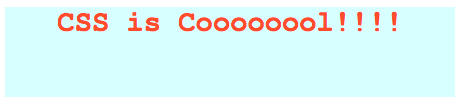


No comments:
Post a Comment